
This has come up so many times and I thought of covering it here. So here I’ll cover the use case of providing Role Based Access control (RBAC) to restrict access to a particular Aruba Central group for select admin users.
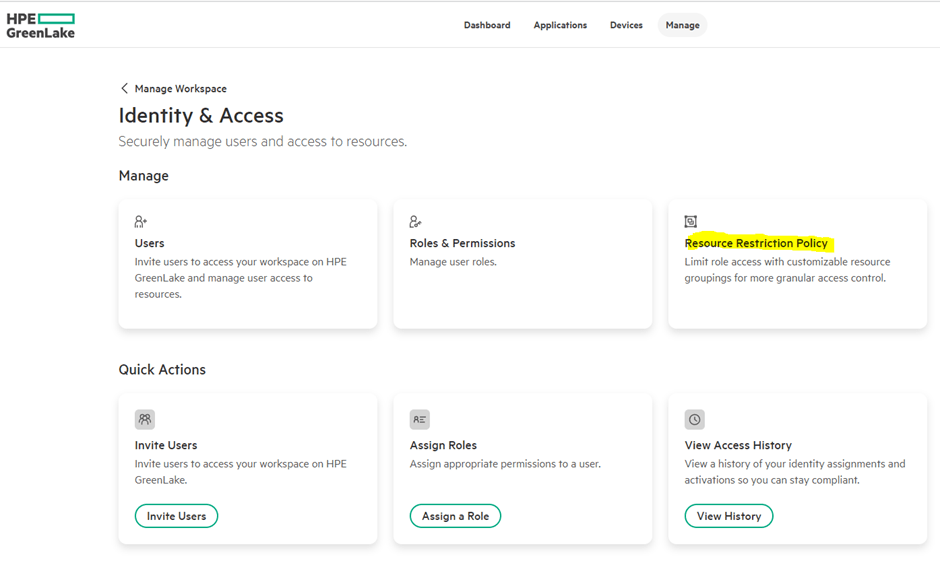
This is done in GreenLake platform. We’ll start from Manage->Manage Workspace->Identity & Access-> Resource Restriction Policies
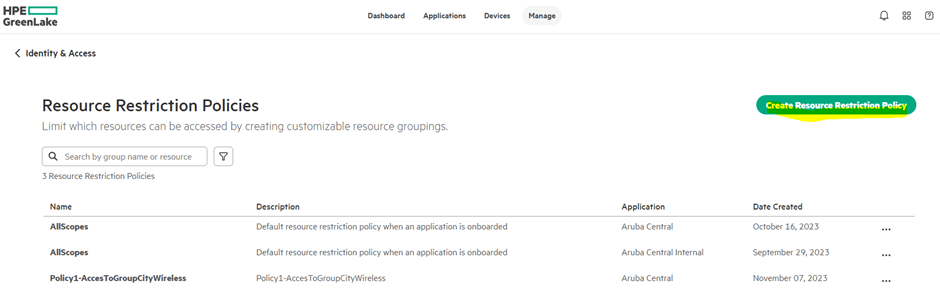
Now we need to create a resource restriction policy.
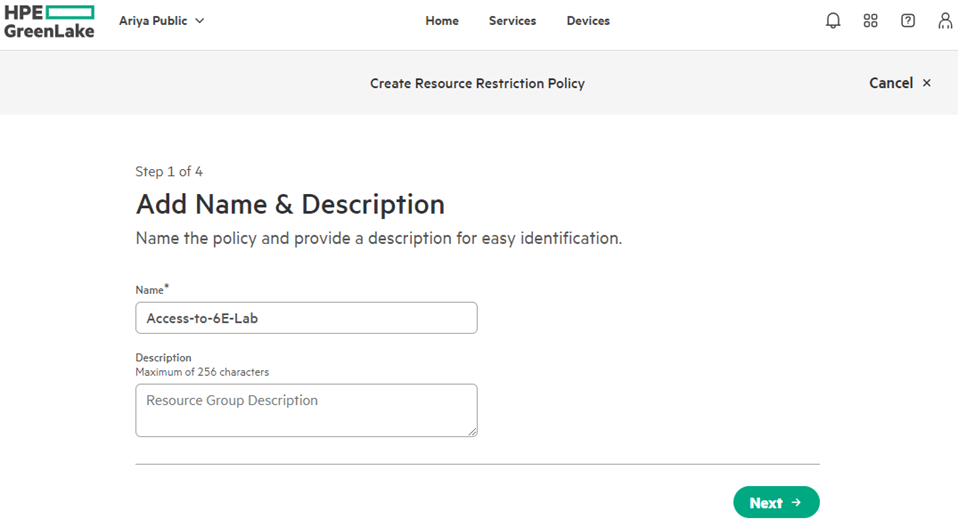
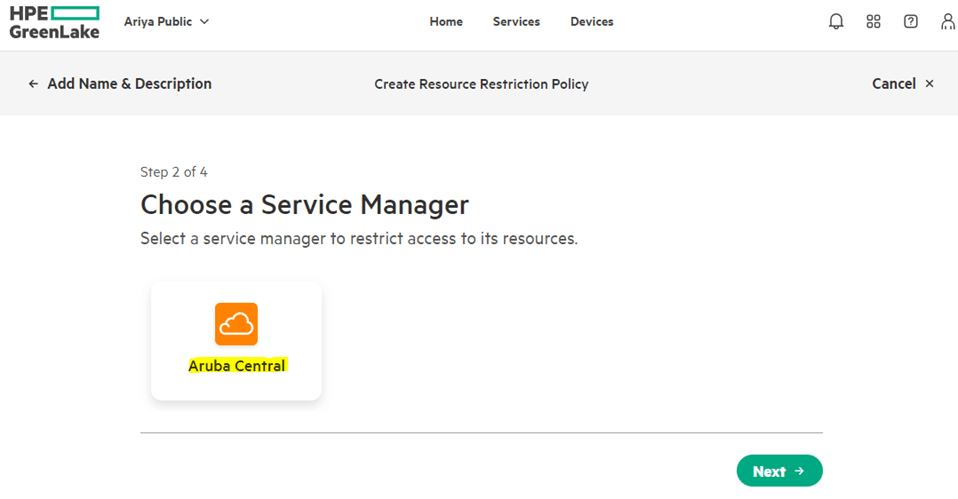
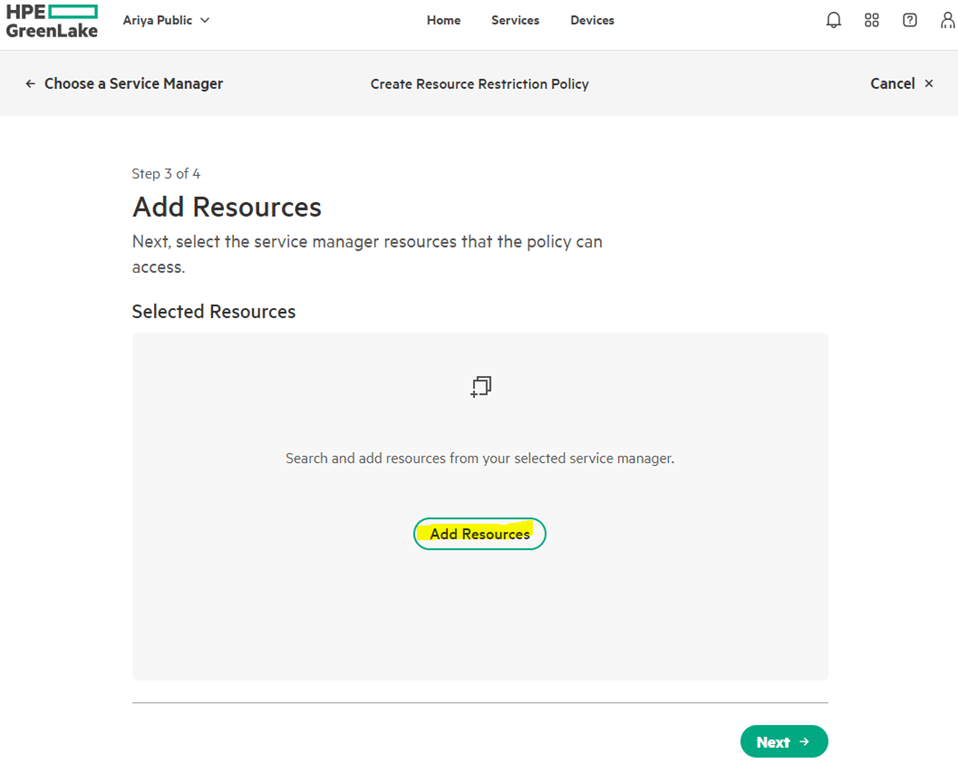
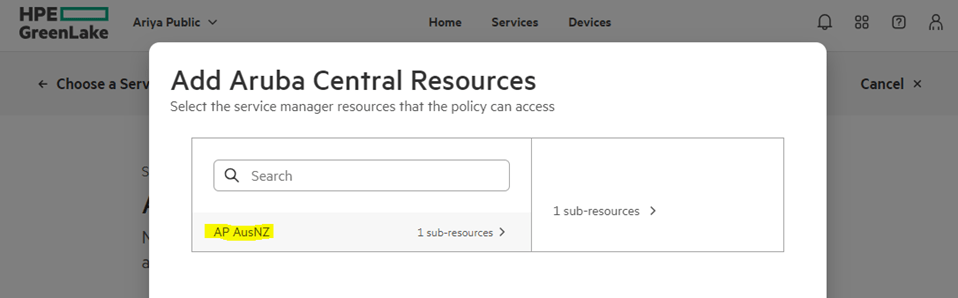
Click on AP AusNZ and select it. (In my case my Central account is in AusNZ, for you it might be different)
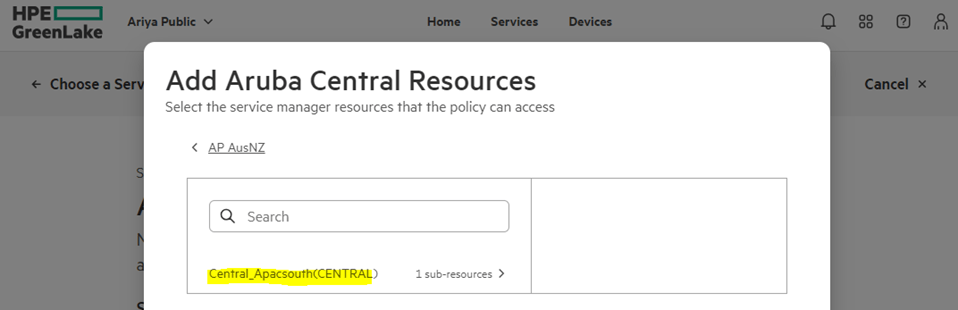
And then click on Central_Apacsouth(CENTRAL)
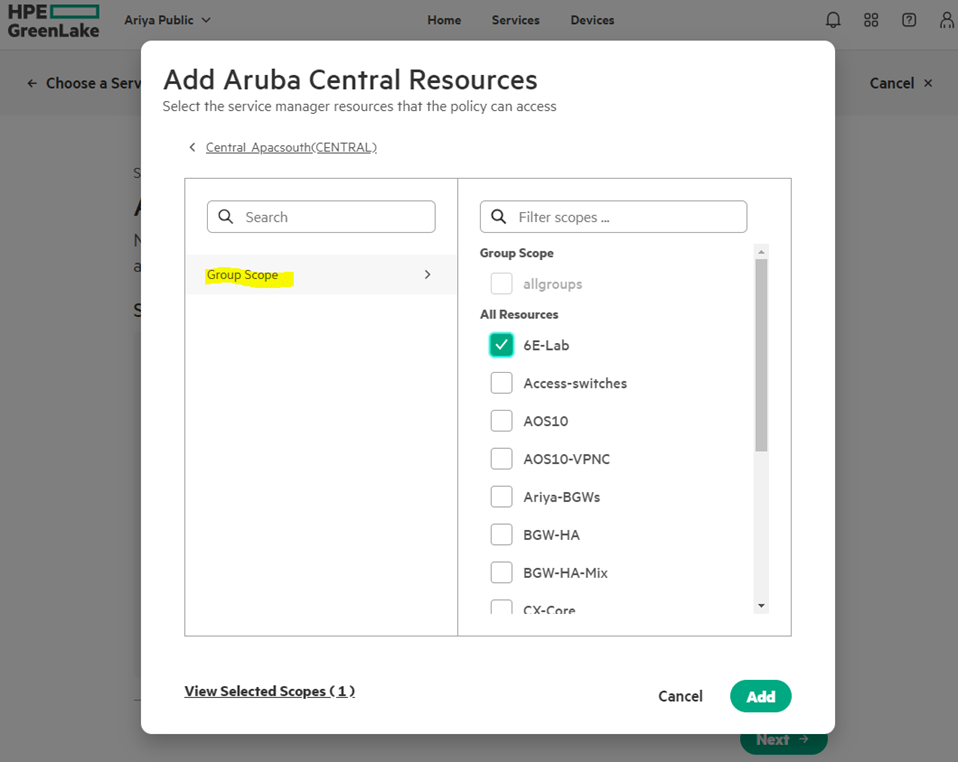
And then select the group scope which will list all the Aruba Central groups that you already have configured. From that list you can select the specific group.

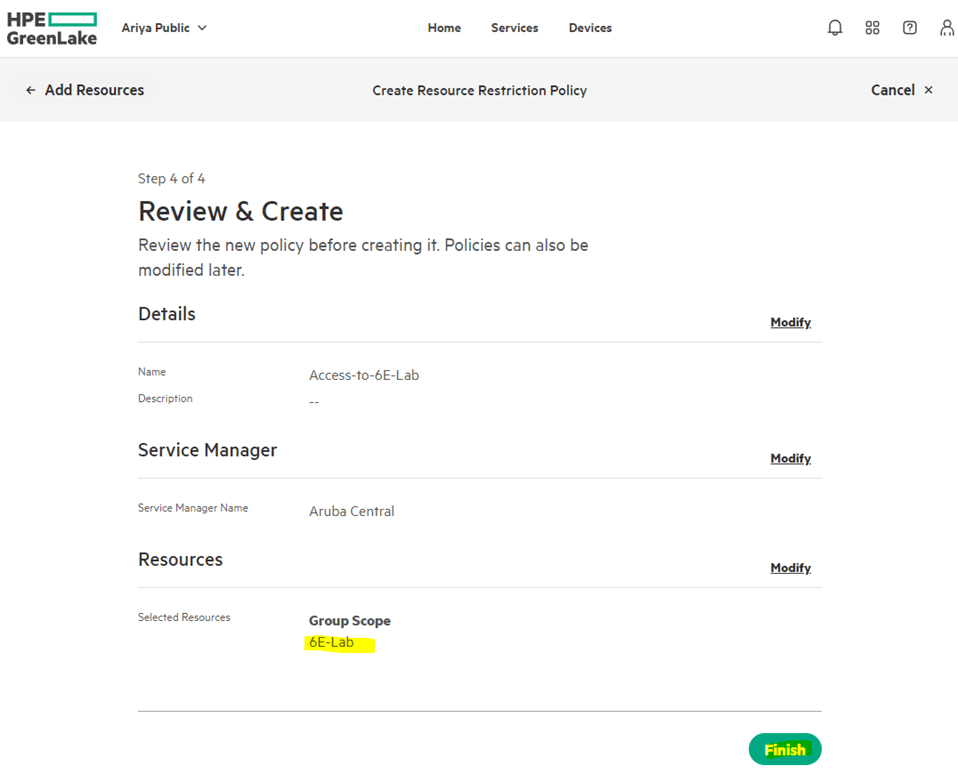

Now that we have the resource policy, we’ll associate it with a user.
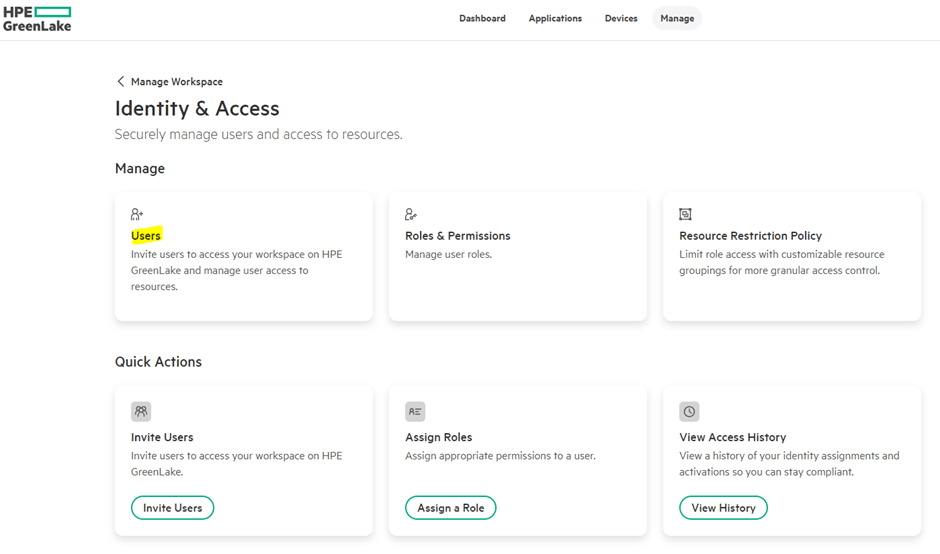
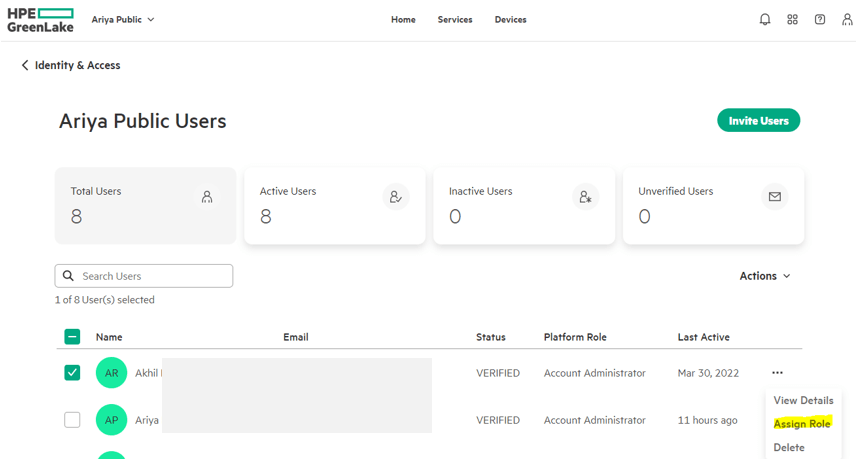
Here you select the user and assign a Role.
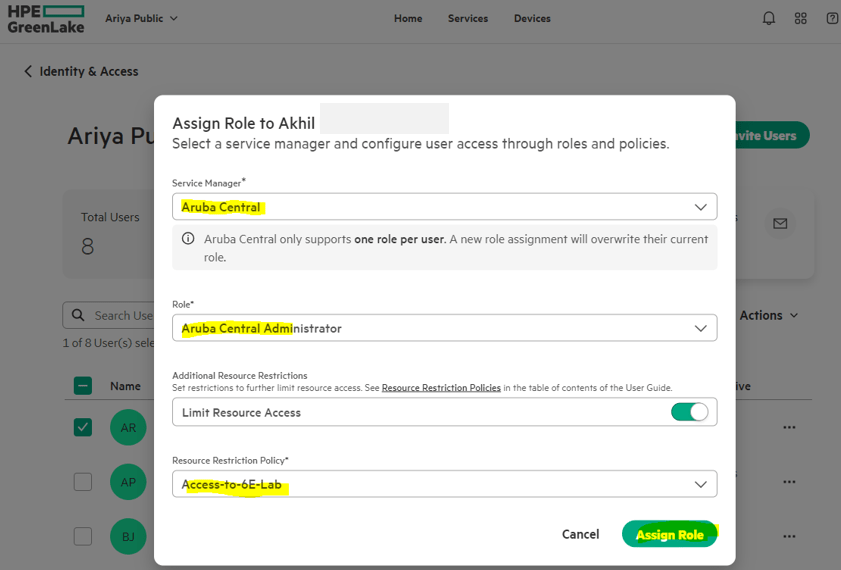
Now when this user accesses Aruba Central, he will only have access to 6E-Lab group.
 Solutions Tech Lab
Leave a comment