
Aruba AOS10 supports multiple PSKs (MPSK) for the same SSID. This means that each client connected to the PSK based SSID will have its own unique PSK that is not shared with the rest of the clients. You can use this feature with ClearPass which will be more scalable. You can also use it in local mode without having ClearPass which is called MPSK-Local.
It should be noted that MPSK solution was designed for the headless devices like IoTs, printers, TVs, etc. and not designed for laptops, tablets and mobile devices that support secure authentication using dot1x supplicants.
This is a 4x parts series in which we’ll cover MPSK local here.

Things you need
- Two AOS10 APs running 10.2.0.2 or later
- Aruba ClearPass version 6.9.x or later (here we are using 6.9.5)
- A Layer three switch and some WiFi clients
Overall Workflow
The overall workflow with MPSK Local is as follows
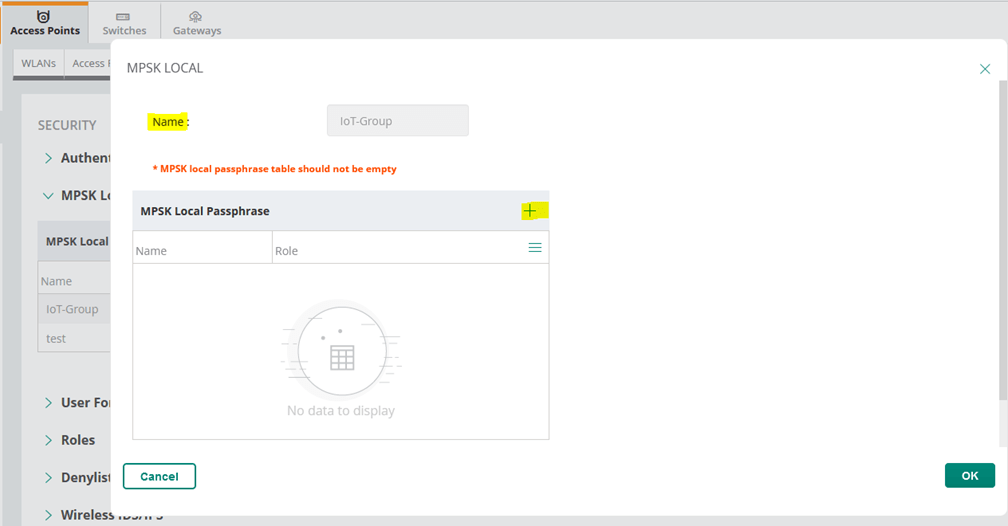
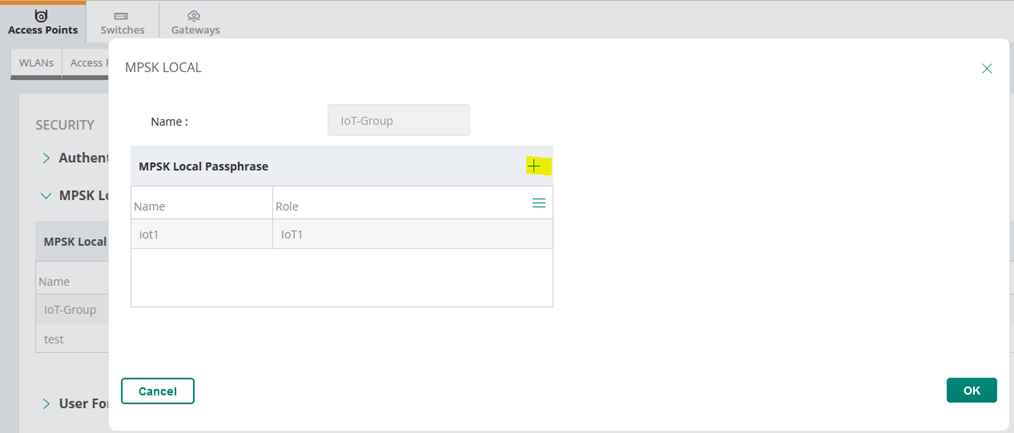
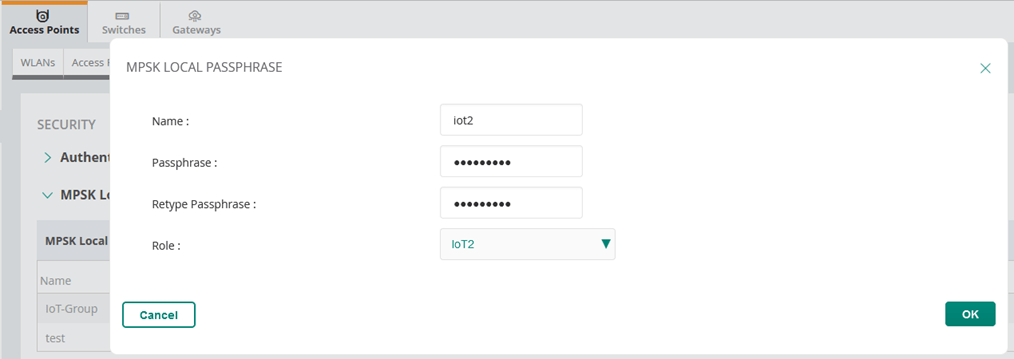
- Configure MPSK Local profile for the group of APs with the passphrase value and user role. You can use the user role and then assign VLANs, BW contracts, etc.
- Use WLAN SSID configuration wizard, to create the SSID profile with MPSK Local as the opmode.
- The the IoT1 with their own <password1> will connect and will be put in VLAN X
- The the IoT2 with their own <password2> will connect to the same SSID and will be put in VLAN Y
AOS10 MPSK Local
When multiple PSK is enabled on the WLAN SSID profile, make sure that MAC authentication is not configured for RADIUS authentication. Multiple PSK and MAC authentication are mutually exclusive and follows a special procedure which does not require enabling MAC authentication in the WLAN SSID manually.
The MPSK Local operating mode allows to configure 24 pre-shared keys per SSID without external RADIUS server like ClearPass. These local PSKs serve as an extension of the base pre-shared key functionality. MPSK Local operating mode is supported on the SSID profile. MPSK Local works only with wpa2-psk-aes encryption and not with any other PSK-based encryption.
WLAN Configuration
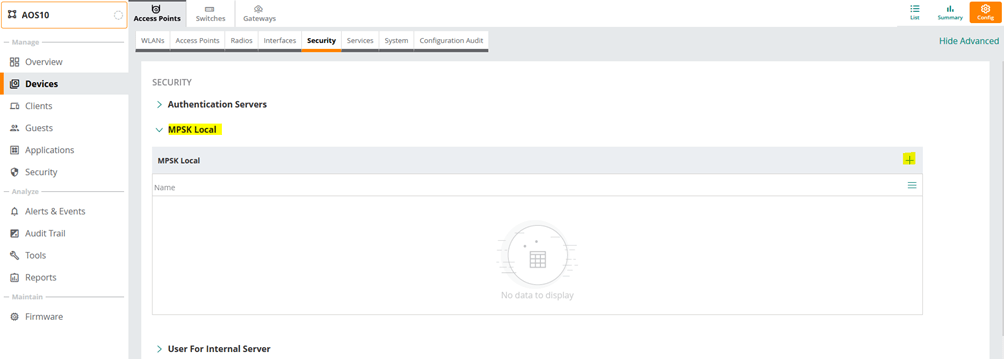
Before we start with the WLA configuration we need to configure the passphrases for MPSK local profiles. For that we need to go to the security tab in the AP configuration.

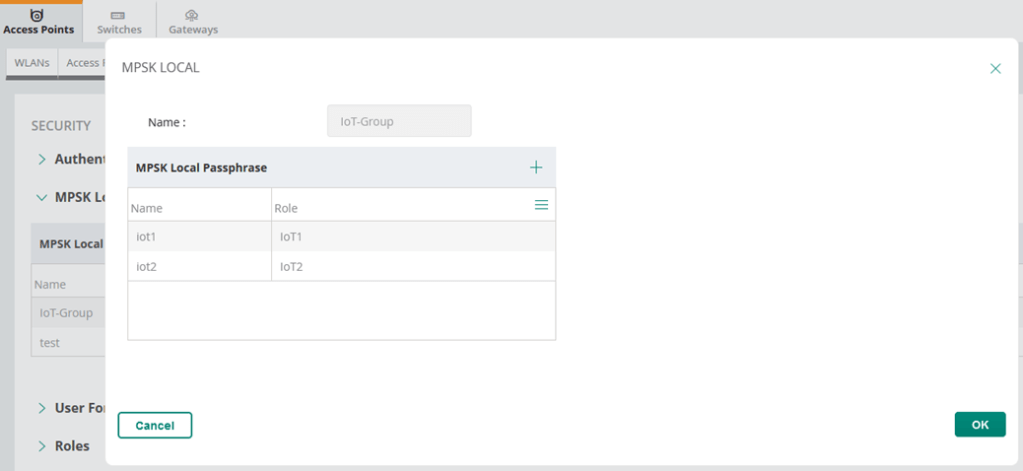
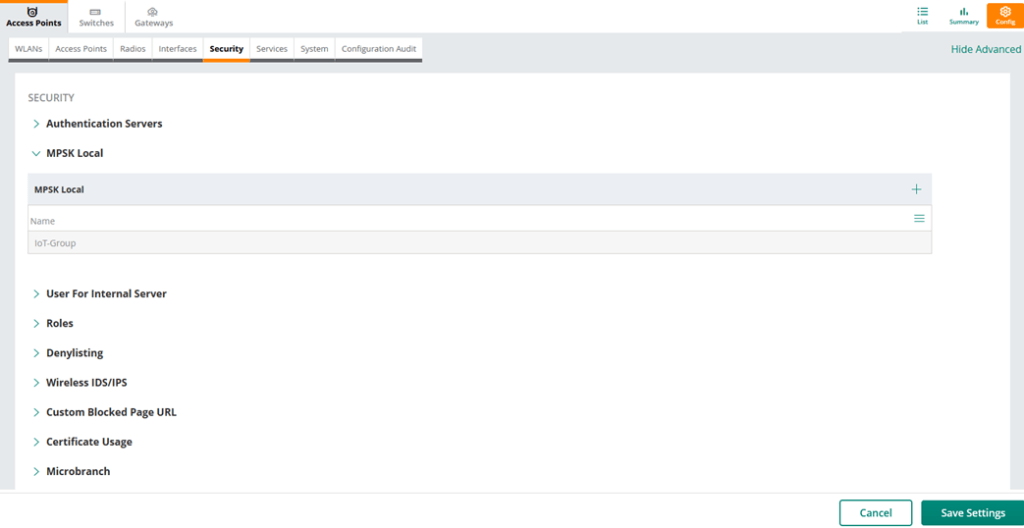
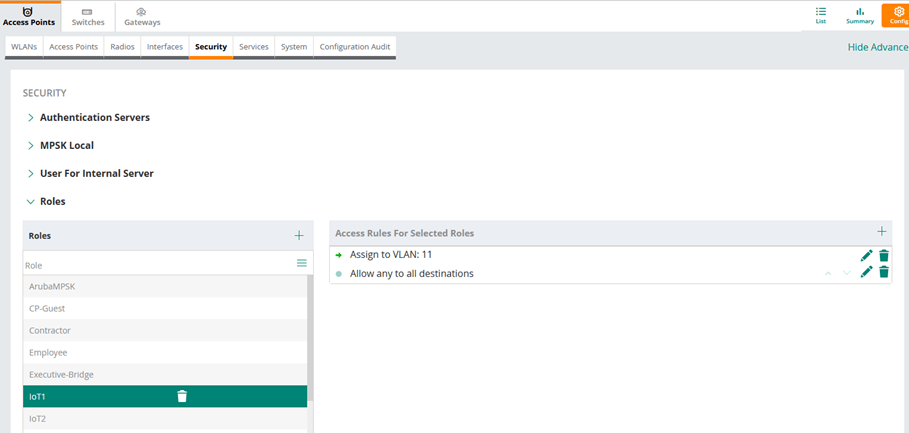
Finally, we’ll put the above user roles in diff VLANs.

Now we can configure MPSK based WLAN.
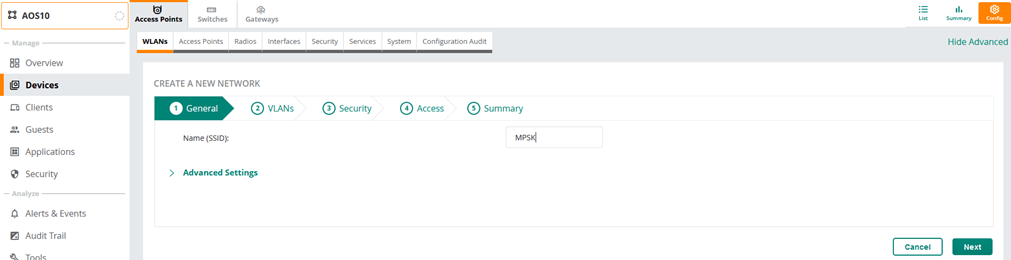
Note that you can configure MPSK local with tunnel mode as well here we are using bridge mode.

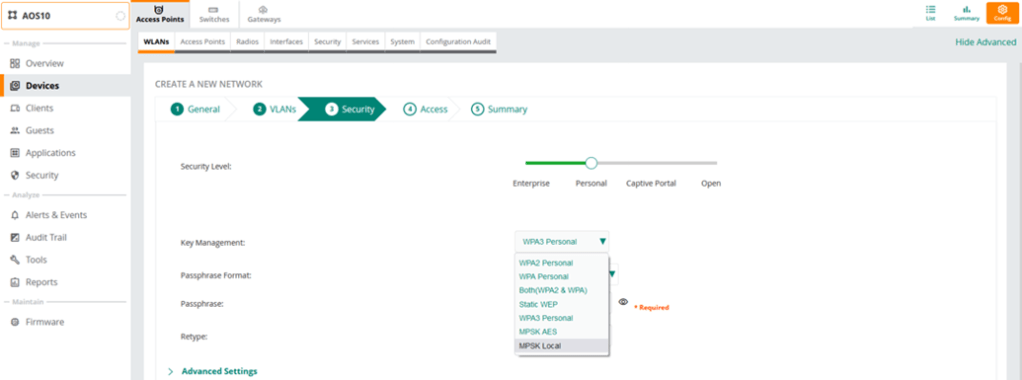

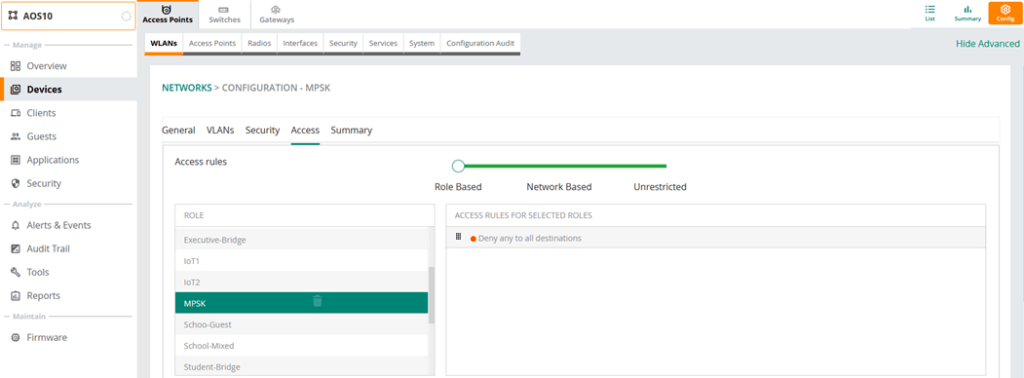
Note that we are denying access here, so the logic is that if the devices are in IoT1 or IoT2 user role, then they’ll be in VLAN 11 and 22 respectively, any other device will be denied.
MPSK Local Testing
So now we’ll test our MPSK Local with the two devices that we have.
- Iot1 user role with <password1> will be in VLAN 11
- Iot2 user role with <password2> will be in VLAN 22
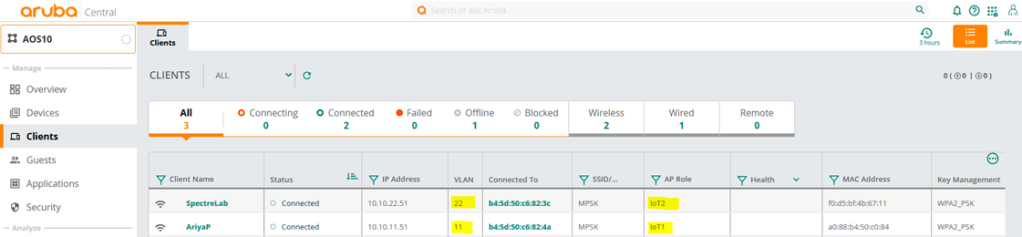

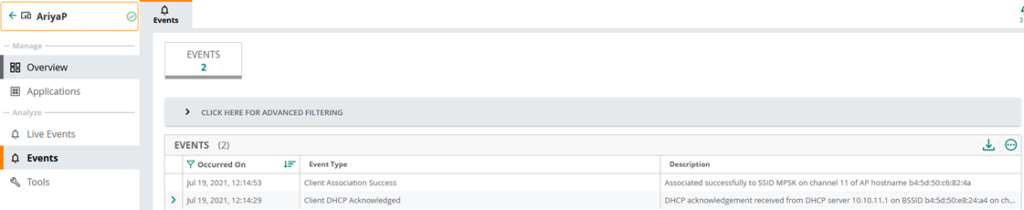
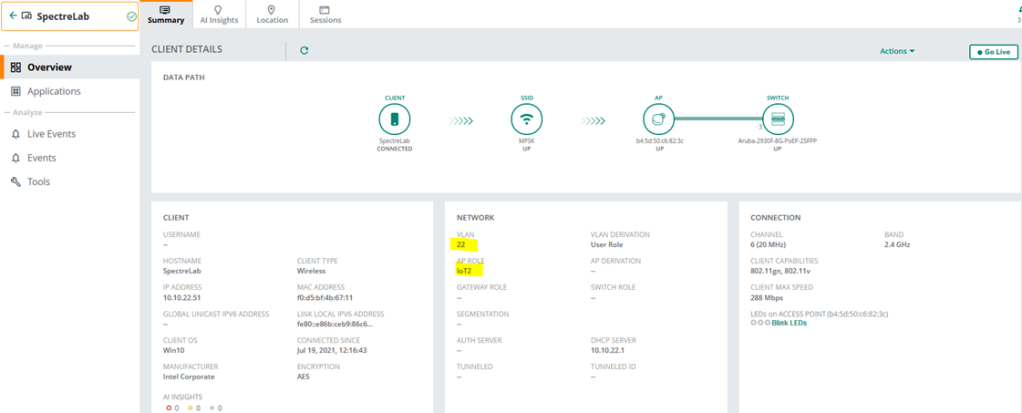
This concludes part1 of the series.
 Solutions Tech Lab
Leave a comment