
The aim of this post is to setup Aruba Instant AP (IAP) so that you can use it for wireless site survey.
- Make sure IAP is running on the latest IAP firmware.
- Set ESSID, channel and tx-power according to your site survey requirement
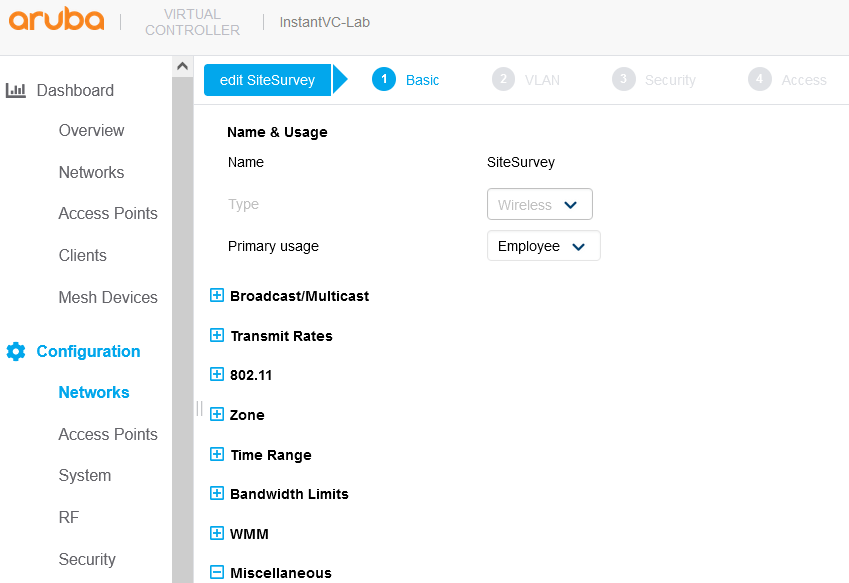
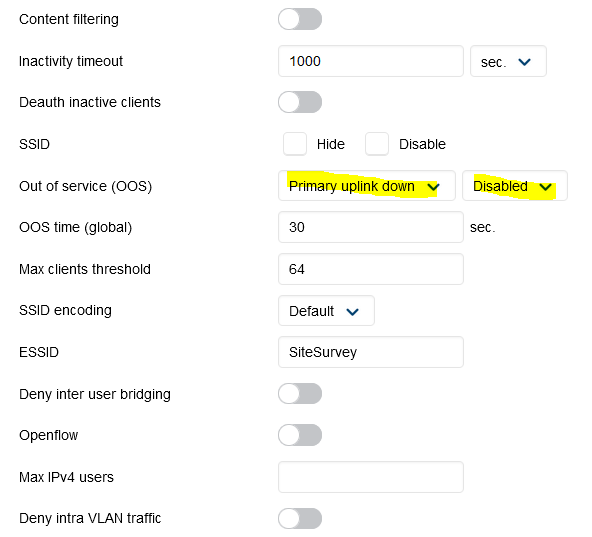
Once you have saved the new setting, Set “enforce Ethernet” below uplink (Settings –> Uplink –> Uplink preference –> Ethernet).
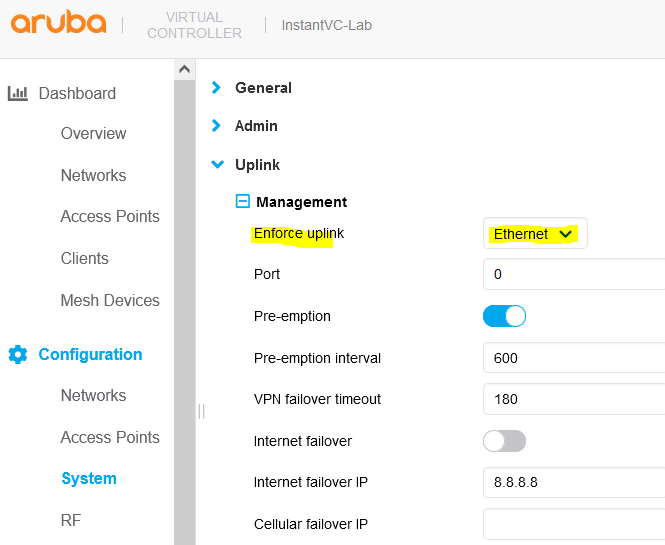
When you save this, you’ll be prompted to reboot the AP.
You can change the channel and tx-power according to your site survey requirement from here.

Lastly set IAP to standalone mode (Maintenance –> Convert –> Standalone AP). The step needs IAP reboot.
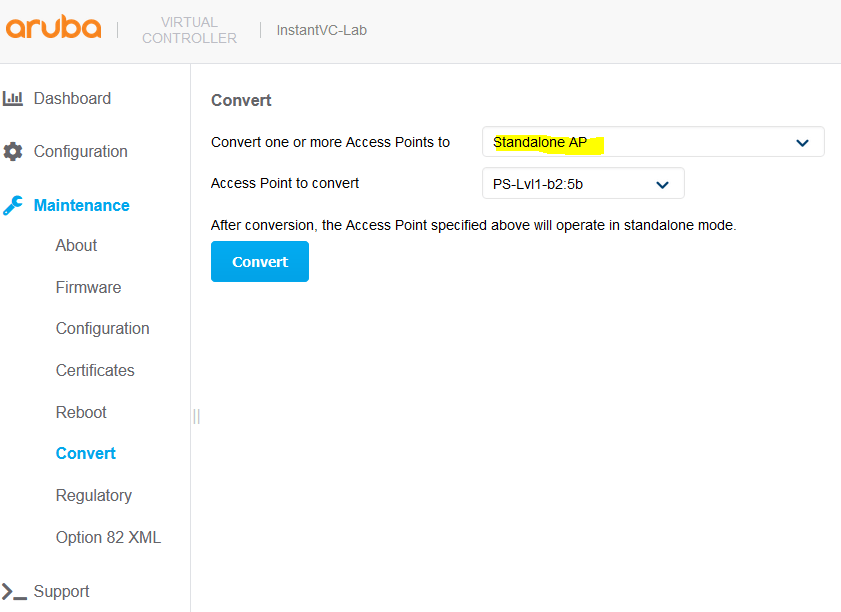
You are now set for your site survey activity.
 Solutions Tech Lab
Leave a comment